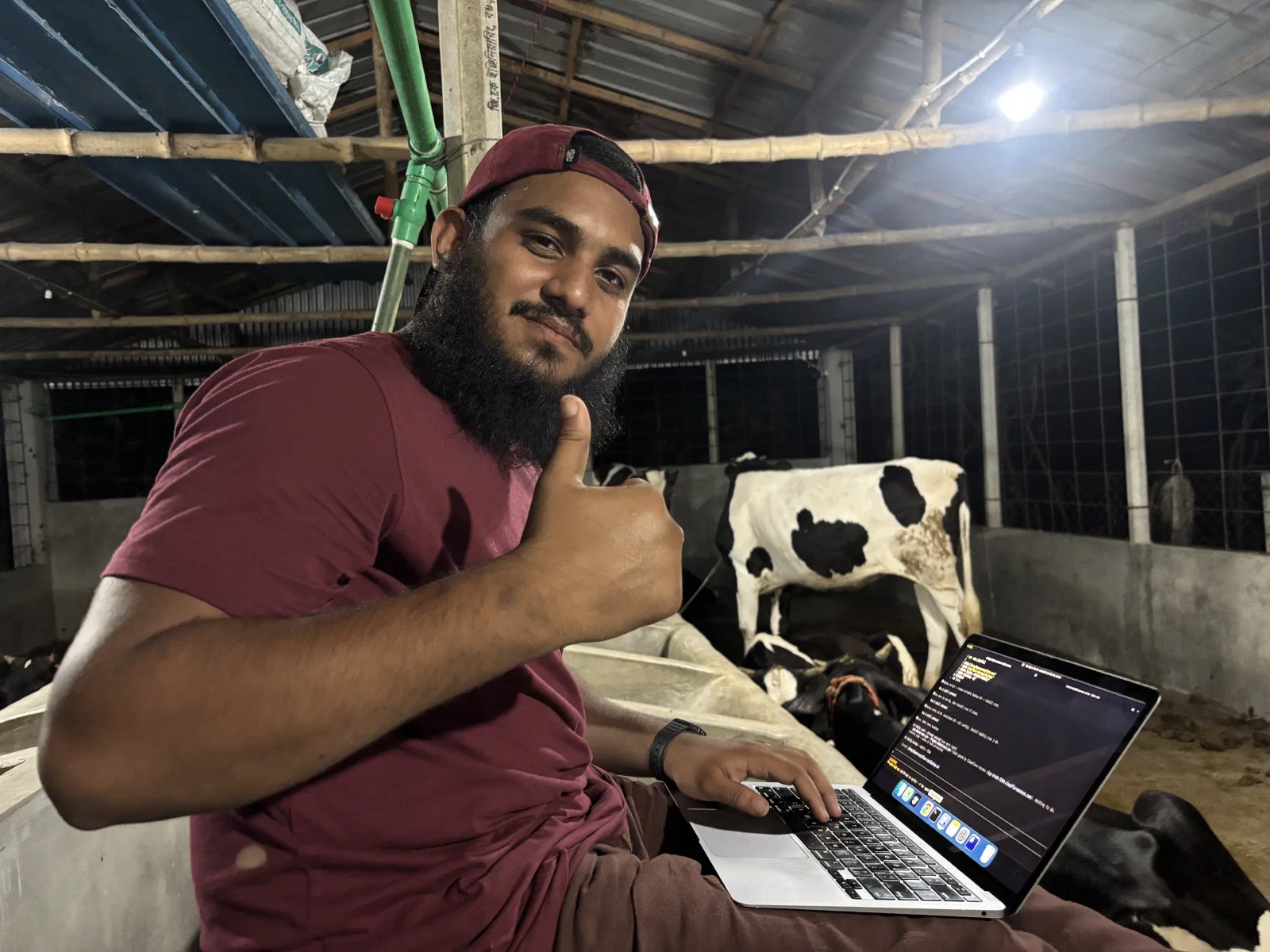
We Wired Our Farm Ourselves
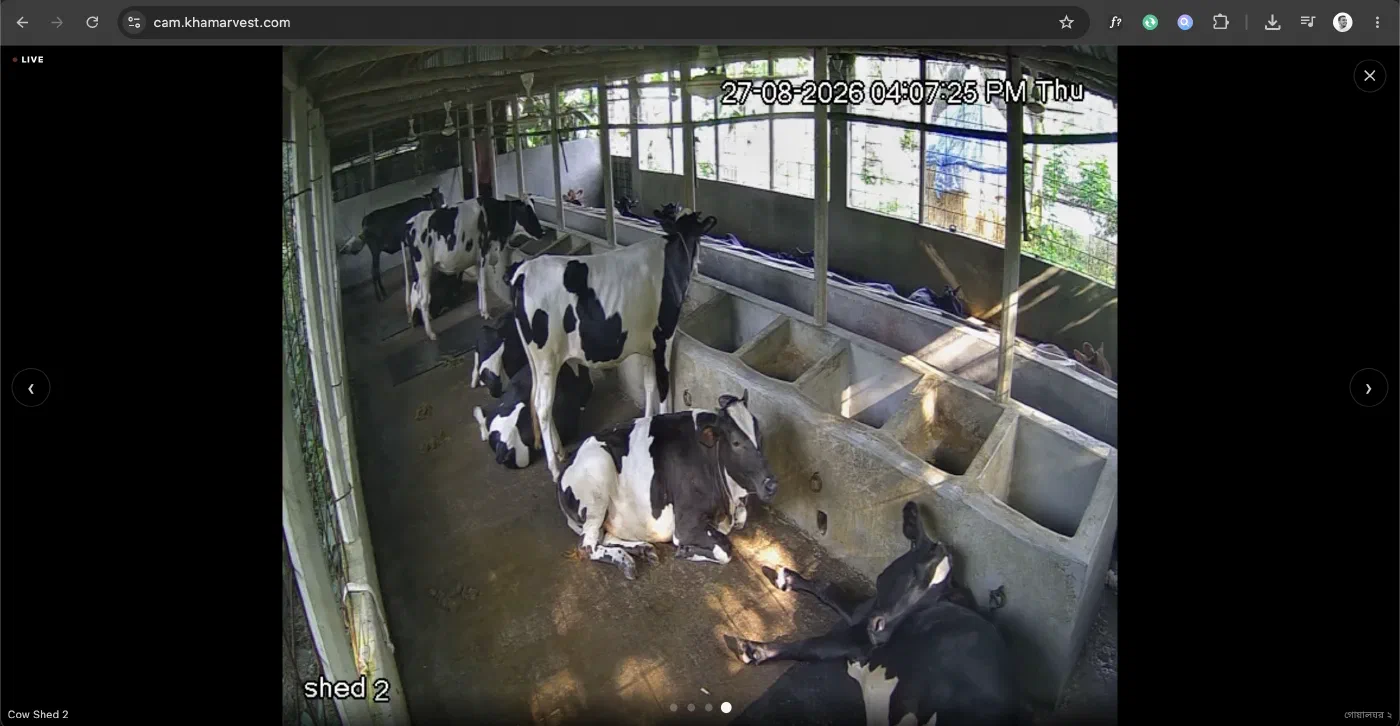
Khamarvest is our farm, built by a small founding team, our cows, our work, our mistakes. It has four cameras now. They are live at cam.khamarvest.com, behind a Google login, and the people who put money into this farm can open that page from anywhere and see the cows.
We could have bought an NVR. The shop sells a sealed box: plug the cameras in, plug a monitor in, done. Instead my younger brother Meer Tahmid and I ran the cable ourselves, wired every connection ourselves, and built the whole thing out of parts we understand.
It took longer. It was much more fun. And I learned more about networking in those weeks than in years of writing web apps on top of it.
The whole thing, in plain words
Before any of the technical parts, here is what actually exists now.
Four cameras in the sheds and at the gate. One cable runs to each one, and that single cable carries both the electricity and the picture, so there is no adapter hanging in the rain at the far end, and nothing extra to fail. All four feed into one small second-hand computer sitting on a shelf in the shed.
That computer does four things. It records everything, and keeps a week. It watches the picture and recognises when a person is there, as opposed to a cow or a moving branch. It puts a webpage on the internet that only invited people can open. And if someone walks into the feed store at two in the morning, it sends a photograph to my phone before I have any way of knowing on my own.
Nothing on the farm is exposed to the internet. The computer reaches out; the internet never reaches in. And if the power cuts, which it does, the whole thing wakes up and repairs itself when the power comes back, and sends a message to say so.
That is the entire system. Everything after this is how it came to exist, how each of those sentences works, and what building it taught me.
Why not just buy the NVR
A retail NVR is a closed appliance. It records, it shows you a grid, and that is the end of the conversation. You cannot ask it to message you on Telegram when someone walks into the feed store at 2 AM. You cannot ask it to tell you that a camera has gone dark. You cannot put your own page in front of it and give five specific people access by email.
More honestly: a box you cannot open teaches you nothing.
So the shape became this, and every arrow is something we had to actually understand:
Dahua IR cameras → PoE switch → farm PC → Frigate (record + detect)
                                        → go2rtc (restream)
                                        → Cloudflare Tunnel → the internet
                                        → Telegram bot (alerts)
The moment the screen showed cows
I built the whole thing at home first.
The cameras sat on my desk in Dhaka, pointed at nothing in particular: a wall, a doorway, me walking past. I configured them there, installed Ubuntu Server on the box there, brought up Frigate, the tunnel, the notifier, all of it, against a wall I did not care about. By the time it left the house, every piece had already worked at least once.
Then we carried it to the farm and mounted it for real.
Connected the cable. Powered it up.
And it just worked. First try. The screen filled with our own cows, standing at the feed trough, one lying down, the green of the entrance path in the corner of the frame.
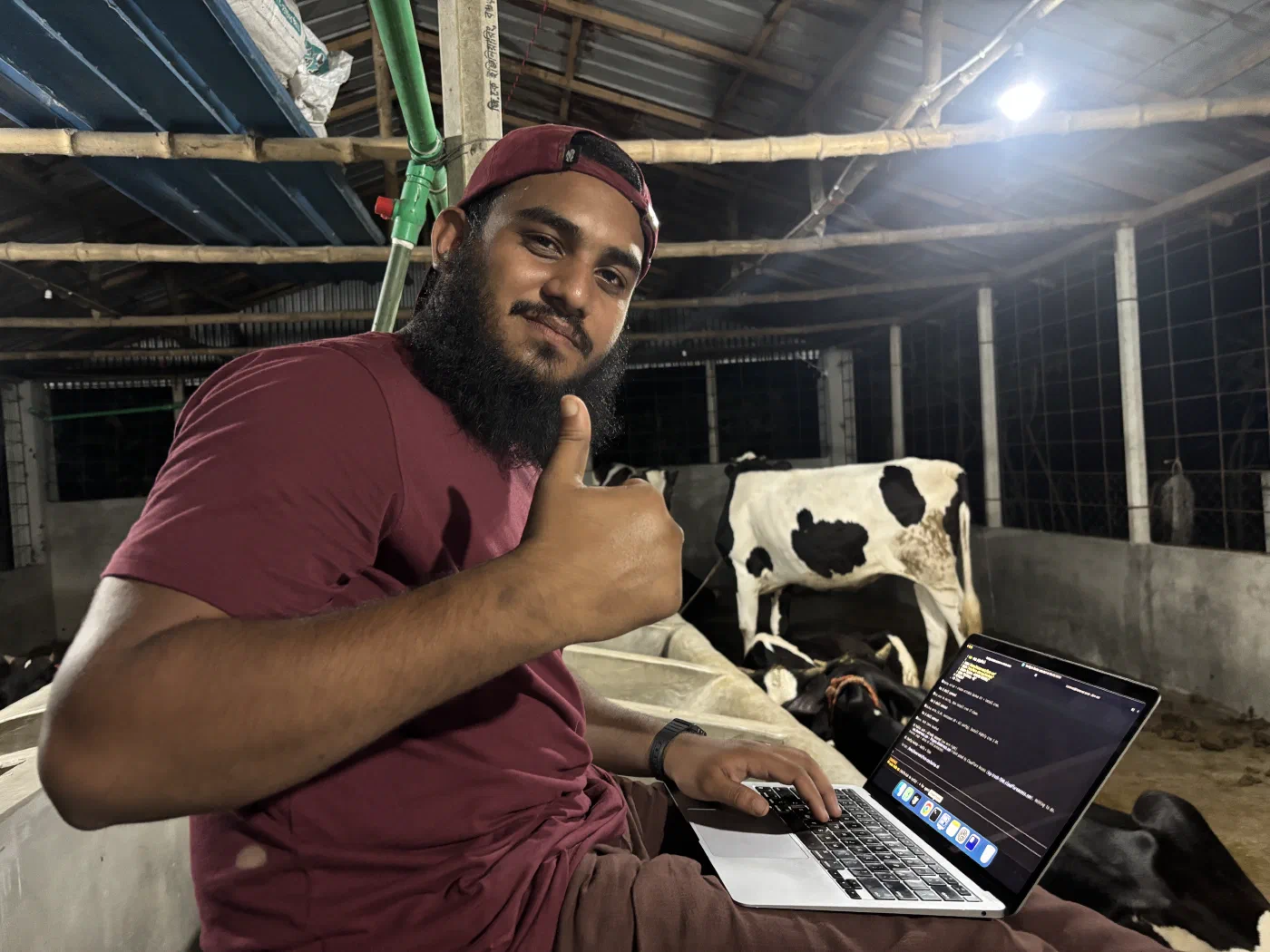
I have shipped a lot of software. Deploys, releases, features going live to users I would never meet. Nothing has ever felt like that. This time the code came out the other side and touched something physical: animals we feed, a shed I have stood in, a farm we built. Programming went through the computer and landed in the world. Shanto, Tushar, Tahmid and I just stood there looking at the screen.
I felt extraordinarily good that evening, in a way I did not entirely expect, and I still feel it every time I open the page.
The investors felt it too, and their reaction is my favourite detail in this whole project. Almost all of them are my colleagues and ex-colleagues from software, career engineers. Which means their day now contains this: they set an agentic AI running on some task, and while it writes code, they open another tab and watch cows. Moving, sleeping, eating. The lush green view at the entrance with the palms behind it.
Engineers, waiting on a model, watching a herd. They love it. I have never had a feature received like that.
The switch, and the part I did not expect to love
The single best thing in this build is the least glamorous: a PoE switch.
One Cat6 run to each camera. That one cable carries the video and the power. No electrician at the shed, no separate 12V adapter hanging in the rain, no second thing to fail. Pull one wire, get a working camera.
I thought a switch was just a box you plug things into. Sitting on the shed floor with a laptop, watching ports come up, it turned into the clearest lesson in network layers I have ever had, because on a PoE switch, three layers are visible at once.
Layer 1: the switch decides whether to send power at all
A PoE port does not just push 48V down the copper and hope. It negotiates.
Under IEEE 802.3af, the switch (the PSE, power sourcing equipment) first probes the line at a low voltage and looks for a signature, a ~25 kΩ resistance that says “there is a real powered device here, not a laptop.” Only if it sees that signature does it raise the voltage and classify the device into one of five power classes, by measuring how much current the device draws.
That is why plugging your laptop into a PoE port does not fry it. The port never gets past detection.
| Standard | Switch supplies | Device may draw |
|---|---|---|
| 802.3af (PoE) | 15.4 W | up to 12.95 W |
| 802.3at (PoE+) | 30 W | up to 25.5 W |
| 802.3bt (PoE++) | 60–100 W | up to ~71 W |
A device gets less than the switch supplies because the cable itself eats the difference as heat over up to 100 metres of copper. Physics takes its cut.
An IR camera with the night LEDs on sits comfortably in 802.3af. Which is exactly why the cheap switch works.
Layer 2: the switch learns who lives where
This is the part I keep thinking about.
A switch starts knowing nothing. When the first frame arrives on port 3, the switch reads the source MAC address, the camera’s permanent hardware identity burned in at the factory, and writes it into a table: this MAC lives on port 3.
From then on, any frame addressed to that MAC goes out port 3 and nowhere else. Not to the other ports. Not to my laptop.
That table is the whole difference between a switch and the old hubs, which simply shouted every frame out of every port and let the machines sort it out. A switch listens, learns, and then stops wasting the wire. It is a tiny learning system built out of nothing but “who talked to me last, and where.”
And it never had to be told anything. Nobody configures a MAC table. It fills itself in from traffic.
Layer 3: where MAC meets IP
The cameras need fixed addresses, or Frigate loses them the first time the power blinks and DHCP hands out different numbers.
The fix is a DHCP reservation: on the router, you pin an IP to a MAC address. “Whoever has this hardware address always gets 192.168.1.x.”
That one setting is the whole seam between layer 2 and layer 3 in a single line of config: a permanent hardware identity on one side, a logical, assignable address on the other, and ARP shuttling between them. I had read that sentence a hundred times. Sitting on a shed floor watching a camera come back at the same address after a power cut is when it stopped being a sentence.
Frigate, and pulling the stream only once
Every camera sends out two pictures of the same scene at once: a big sharp one and a small rough one. That sounds wasteful. It is the single cleverest thing in the build, and it is free.
Each camera speaks RTSP. It is worth knowing that RTSP is mostly a remote
control, not the video itself: the client sends DESCRIBE, SETUP, PLAY,
and the actual frames arrive as RTP. The camera’s URL takes a subtype
parameter, and that little number matters more than it looks:
subtype=0, the main stream, full resolution. Used for recording and for fullscreen.subtype=1, the sub stream, small and cheap. Used for the four-up grid and for object detection.
Cameras generate both themselves, for free. Detecting cows and people on a low-res stream costs a fraction of the computer’s effort and finds exactly the same cow. You do not need a sharp picture to notice that a person is standing in a doorway. You only need it once you want to know who.
Frigate does the recording and the detection. Recording is a stream copy. The camera already encoded H.264, so we write those bytes straight to disk rather than decoding and re-encoding them. Seven days retained, oldest deleted automatically.
Bundled inside it is go2rtc, which solves the problem I had not thought about: what happens when four people open the page at once. Without it, every viewer opens their own RTSP session against the camera, and a small IP camera falls over at about three. go2rtc pulls each camera once and fans that one pull out to as many browsers as ask for it.
Getting it out to the internet without opening a single port
The farm’s internet is an ordinary connection. No static IP, no business plan, and I am not going to punch a port-forward through to a camera system on a farm I cannot reach in twenty minutes.
Cloudflare Tunnel removes the question. A small cloudflared container on
the farm PC dials outbound to Cloudflare and holds that connection open.
Traffic for cam.khamarvest.com arrives at Cloudflare and comes back down the
pipe the farm already opened.
The router has no inbound ports open at all. There is nothing at the farm’s IP address to find, port-scan, or brute force. The most secure port really is the one that does not exist.
The latency tradeoff nobody warns you about
Here is the honest cost, and it is a nice lesson in transport protocols.
Plainly: safety made the video about a second slower, and a second is a price worth paying. The reason why is the interesting part.
WebRTC, the thing that makes video calls feel instant, needs UDP. The tunnel serves HTTPS over TCP. So WebRTC’s UDP simply cannot make the trip, and the player falls back a rung.
| Transport | Latency | Survives the tunnel |
|---|---|---|
| WebRTC (UDP) | 0.1–0.5 s | ✗ |
| MSE (TCP) | 0.5–1.5 s | ✓ |
| LL-HLS (TCP) | 2–4 s | ✓ |
| HLS (TCP) | 5–10 s | ✓ |
The viewer page uses go2rtc’s player, which negotiates down that list by itself and lands on MSE, around one second through the tunnel. For watching cows, one second is indistinguishable from live.
The satisfying part: when I open the same page over Tailscale instead, UDP works, WebRTC wins the negotiation, and it drops to ~0.3 s. Same HTML, same server, no flags. The network conditions choose the protocol.
Who gets in
Login is Cloudflare Access, sitting in front of the tunnel. An investor signs in with Google; if their email is not on the policy, they never reach the farm at all. The rejection happens in Cloudflare’s network, long before any packet touches the farm PC.
Think of it as a doorman who checks the guest list in the street outside, before anyone reaches the building.
Once a request passes, Access stamps a header onto it:
Cf-Access-Authenticated-User-Email. Every location in our nginx config
refuses any request arriving without it. That is belt-and-braces, since anything
that somehow reached nginx without passing Access gets a 403. But writing
that rule is what forced me to understand that the header is only trustworthy
because nothing can reach nginx except through the tunnel. Trust a header
that a user could set themselves and you have built a lock with the key taped
to it.
We also went back and closed ports we had originally published. The early compose file exposed go2rtc’s RTSP and WebRTC ports on the host, which quietly meant every camera stream was reachable, unauthenticated, by anything on the farm LAN. Nothing was consuming them. They are gone now. Frigate talks to go2rtc over localhost inside its own container.
A small thing I enjoy more than I should: a tiny presence service reads that same email header, and the page shows who else is watching right now. When an investor opens the cam, the Telegram group gets a line: someone started watching the farm cam. One of them is in Malaysia, a brother from JoulesLabs who I was introduced to, and when his name appears at odd hours, the farm feels a great deal less remote than it is.
The Telegram guard
This is the part a retail NVR was never going to give me, and the part I am proudest of.
A small Python service (standard library only, no dependencies) polls Frigate’s event API and sends alerts to a Telegram group with the snapshot attached.
The naive version of this is unusable. A person standing in the entrance generates events continuously, and your phone buzzes forty times. So the notifier is a state machine per camera, not an event forwarder:
- Entry. Someone appears in an area that was clear. Alert.
- Loiter. They are still there after N seconds. Re-alert, because that is the case that actually matters.
- Clear. No detections for 60 seconds, the area is considered empty again.
- Re-entry. They left and came back. That is a new alert, not a continuation.
And the rules differ per camera, because the farm differs per camera:
| Camera | Alerts on | When |
|---|---|---|
| Entrance | person, car, truck | 24/7, re-alert every 3 min |
| Feed store | person | 24/7, re-alert every 5 min |
| Cow shed 1 & 2 | person | night only |
A person in a cow shed at 11 AM is a farmhand doing his job. The same person at 2 AM is the only message I want to receive that night.
Watching the watchman
Any monitoring system has one obvious failure mode: it fails, and by failing, stops telling you anything. Silence looks exactly like peace.
So the notifier also watches itself:
- A camera reporting 0 fps for 90 seconds → camera offline: check power, network, or tampering.
- Frigate unreachable for 3 minutes → recording and detection may be down.
- Disk below 15% free → warn, once a day, before old recordings start getting deleted.
- A daily heartbeat: 4/4 cameras online, storage 62% free. Boring by design. Its whole job is to prove the alert pipe still works on the days nothing happens.
But none of that can survive the farm PC dying, or the power going, or the internet dropping. A dead machine cannot report that it is dead. So the notifier also pings a healthchecks.io URL every five minutes. If those pings stop, healthchecks.io alerts me from the outside. A dead man’s switch. The absence of a message becomes the message.
And when something is genuinely stuck, I can send /reboot to the bot. Only
my personal Telegram user ID is accepted. Everyone else’s is logged and
ignored. The container cannot reboot the host (containers should not have that
power, and I did not want to grant it), so the bot writes a request file into a
shared folder, and a one-line cron job on the host picks it up within the
minute and reboots. The privilege stays on the host side of the wall. Fixing
the farm from my phone in Dhaka never gets old.
Push-to-talk goes the other way: browser microphone → WebSocket → a USB speaker in the shed. Hold the button, talk to whoever is out there.
The boring hardware that makes it real
The first version ran on my MacBook, sitting in the shed, plugged in. That is a demo, not infrastructure.
It now lives on a Dell OptiPlex 9020 Micro, a used office desktop, i3, 8 GB of RAM. A 120 GB SSD for the OS and Frigate’s database, a 1 TB HDD for recordings only.
Two settings do most of the heavy lifting:
Intel VAAPI hardware decode. The chip has a video decoder sitting right there in the iGPU. Handing decoding to it instead of the CPU is the difference between four cameras running comfortably and an i3 pinned at 100%.
BIOS → AC Recovery → Power On. Village power cuts out. With this set, the box boots itself when power returns, Docker starts on boot, and Frigate, the tunnel, and the notifier all come back on their own. Then a “Farm guard online” message lands in Telegram, and I know the farm healed itself while I was asleep. That one BIOS setting is worth more than any code in the repo.
Backups run nightly: a consistent snapshot of Frigate’s SQLite database taken with SQLite’s own online backup API, safe while it is running, no stopping anything, plus every config file, seven archives retained. The recordings are deliberately not backed up. They are seven-day rolling footage; the event clips are the evidence that matters, and a terabyte of cows sleeping is not worth protecting.
ssh farm
The box runs Ubuntu Server 24.04. No desktop, no monitor, no keyboard. It sits on a shelf in the shed with two cables in it, power and ethernet, and that is the entire physical interface. If you walked past it you would think somebody left an old office computer behind.
Two lines in ~/.ssh/config on my Mac:
Host farm
    HostName <the box>
    User khamarvest
And now the farm is a word.
ssh farm
I still find this genuinely wonderful. I type four letters at a café table in Dhaka, and the prompt changes, and I am standing inside a machine in a cow shed in the village. Same terminal, same font, same muscle memory as any other server I have ever worked on. The cows are forty kilometres away and I can read the logs of the thing that is watching them.
Everything on it is dockerized, which means the farm has no secrets and no
snowflakes. Every service, Frigate, the tunnel, the viewer and the Telegram guard,
is a few lines in one docker-compose.yml in a git repo. Updating the farm
is the same motion as updating any project I have ever shipped:
ssh farm
cd farm-cam
git pull
docker compose up -d
That is it. That is the whole deployment process for a working farm surveillance system. Docker pulls what changed, restarts only what needs restarting, leaves the recordings alone. Ten seconds, and the cameras never stop watching.
I went further and mounted the notifier’s and authgate’s source code into their
containers read-only, so editing the alert rules does not even need a
rebuild. Change the file, docker compose restart notifier, done. When I
decided the cow sheds should only alert at night, that was one line and one
restart, from my bed.
And because it is all a git repo plus one .env file that never leaves the
farm, the box is disposable. If that OptiPlex died tomorrow, a fresh machine
would be an evening’s work: install Ubuntu, install Docker, clone, copy the
.env, docker compose up -d. The farm’s brain is not in the hardware. The
hardware is just where it happens to be running this month.
That is the part that still makes me grin. A farm, mud and feed and animals, the oldest work there is, now has a deploy pipeline.
What comes next
The cameras are the first sensor, not the last one. What I actually want is for the farm to report itself, and I want to write that code myself.
The one I am chasing first is weight, without the weighing.
Traditional scales mean pushing an animal onto a platform, which is work, which means it happens rarely, which means you find out too late that one cow stopped gaining. Instead: a load cell built into a walkway they already use. The cow walks over on her own, and the software records the weight. Do that daily and weight gain becomes a graph instead of a guess, and a cow going off her feed shows up in the data days before it shows up to the eye.
That is the direction. Traditional farming underneath, sensors on top, and every layer of it something we built and can open up.
I intend to document those moments as they happen, the same way as this one.
What it actually taught me
I write software for a living. I have used sockets, and load balancers, and HTTP for years, always from comfortably above.
Doing it with my hands, that stack came apart into things I could touch. Power negotiated by a resistance value. A frame carrying a MAC address to a switch that learns where things live. A reservation binding hardware identity to an IP. A codec choosing its transport because UDP could not survive the trip. A header that is only trustworthy because of what cannot reach it.
That is the whole OSI model, and I did not learn it from a diagram. I learned it from a cable I ran myself, into a port that lit up in a cow shed.
The best part is where it ended up. The people who backed this farm are scattered across countries, and a farm is the least legible thing in the world to someone who cannot visit it. Now they open a link and see the cows breathing.
Trust, delivered over a wire we pulled ourselves.
Everything here is open: github.com/mmestiyak/khamarvest-cam. Khamarvest is our farm, and our page: facebook.com/khamarvest.
Filed under networking, poe, frigate, cloudflare, self-hosting, khamarvest.